



Music
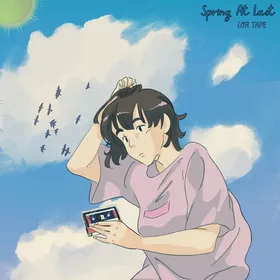
What's playing lives in the closed notch: Hazel in headphones, and four columns in the cover's colors. Open it for the cover, the song and what you played before, from Apple Music or Spotify.
In Shortcuts, make “Do Not Disturb on” with the Set Focus action turning Do Not Disturb on, and “Do Not Disturb off” turning it off.
 Lago di Braies.png
 Moraine Lake.png
Drag a file up to the notch
 Hazelnutch press kit.zip
 Hazelnutch guide.pdf
Copy the line, then press ⌃⌥V under it
Lago di Braies, 39030 Braies, South Tyrol, Italy
Press a key, or try something

Each tool opens where the camera is, and folds away when you leave it.
What's playing lives in the closed notch: Hazel in headphones, and four columns in the cover's colors. Open it for the cover, the song and what you played before, from Apple Music or Spotify.
Five minutes before, it drops out of the notch with Join, and waits until you answer.
Drag a file up and places for it rise to meet it: keep it on the Shelf for a day, send it, move it, or what its kind is dropped for, like making it smaller.
Press ⌃⌥V wherever you type and pick from what you copied today, by its number.
A small pet in your notch. She shows what your Mac is up to: headphones for music, a stretch for a break, a heart when you pet her, tucked in asleep while you're away.
Turn the dial or pour time in, and it runs in the notch's wing. Breaks fill a vessel each over the day: standing up, water, your eyes and one of your own.
Without a notch, it floats under the top edge or hangs from it.
Three themes for the notch and everything from it. Open and Tinted come Frosted or as Glass.
Today and the month in the notch, the next meeting with Join a click away.
Today's and every list from Reminders, ticked off without opening anything.
Everything you copy, in one strip, the saved first. A click pastes it.
Add a note and write it in place. Tick a list on its card.
Lengths, weights, temperatures and more, in every unit at once.
Type a sum, or ask it in words: 15% off 80, 3/2 of 50.
Check yourself before a call. The camera stays off until you turn it on.
Your script by the camera, moving on as you read.
Files you drop on the notch wait here for a day, each with what its kind can do. The work fills the row you pressed.
Screenshots and recordings with the Mac's own tool: pick the area, then Screenshot or Record, a timer for both.
What's playing, your next meeting, what's due, and the timer that's running: a glance up, and back to work.
Drop a file on the notch and keep it for a day. Everything you copy waits, and pastes wherever you type.
Screenshots and recordings, sums, units and money, without leaving what you're doing.
Hazel's head in the menu bar opens Hazelnutch's pane: keep your Mac awake, your sound, what hides while you share, your disks and ports, and more.
A click on Hazel's head in the menu bar. Try it here: every section works.
Three looks for the notch and everything from it, a notch or an island on any display, and Hazel showing what your Mac is up to.
Pay once, and Hazelnutch is yours.
$19
Paid once, for 2 Macs
Plus local tax. For Macs with Apple silicon, macOS 14 or later.
In the notch
In the menu bar
Not ready to buy? Try every tool free for 48 hours. No card, no account.
Any Mac with Apple silicon on macOS 14 or later. On a MacBook it lives in the notch. On a display without one, it hangs from the top edge like a notch or floats under it as an island.
No. A license key is paid once, $19 for 2 Macs, $34 for 4 Macs or $49 for 6 Macs, plus local tax, and the updates are included. They install when you choose.
Yes. Download Hazelnutch and use every tool free for 48 hours. If you buy it and it isn't for you, write to us within 7 days and we'll refund you in full.
Closed, it's the notch with a small wing either side. It opens on hover or on click, whichever you choose, and folds away when you leave it.
Apple Music and Spotify, with their covers and controls, and a video playing in Safari, Chrome, Arc, Brave or Edge, such as YouTube or Netflix.
It can hide itself while you share, and your desktop icons and other apps too, and turn on Do Not Disturb until you stop.
Yes. Keep her out of the closed notch while nothing's happening, or turn her off and keep just the notch.
Only what the tools you use need: Calendar and Reminders for your day, the camera for Mirror, the microphone and speech recognition for the Teleprompter, Screen Recording for Capture, and Accessibility for the paste picker. Each is asked when you first use its tool, and Settings shows where each one stands.
Only four things: a daily check for a new version, today's exchange rates while you convert money, and a song's cover when the player gives none, each with its own switch; and a place you type for a reminder, looked up in Apple Maps only then. Your license key is checked with Dodo Payments once a day. There are no analytics, and your data stays on your Mac.
Write to support@hazelnutch.app. We read every message.